OpenLink Software product license files can be checked using the following methods.
License File
Generally a licensed file can be check using the following openssl command:
openssl asn1parse -in filename.lic -i -dump -inform der
where filename.lic is the name of the available OpenLink License file.
Virtuoso
The Virtuoso license in use by a running instance can be check by either:
- Checking the Virtuoso log file
virtuoso.log, which on startup will show the license details it has started with, of the form:
...
17:26:22 OpenLink Virtuoso Universal Server
17:26:22 Version 08.03.3334-pthreads for Linux as of Jan  7 2026 (f05e0de773)
17:26:22 uses OpenSSL 1.0.2u  20 Dec 2019
17:26:22 uses parts of PCRE, Html Tidy
17:26:22 Registered to OpenLink Software (INTERNAL USE ONLY)
17:26:22 Personal Edition license for 100 connections
17:26:22 Issued by OpenLink Software
17:26:22 This license will expire on Thu Mar 18 12:29:40 2027 GMT
17:26:22 Enabled Cluster Extension
17:26:22 Enabled Column Store Extension
17:26:22 Enabled Virtual Database Extension
17:26:22 Enabled Replication Extension
17:26:22 Enabled Scalable ACL Extension
17:26:22 Enabled Custom Reasoning & Inference Rules
17:26:22 Enabled Shapes Constraint Language
...
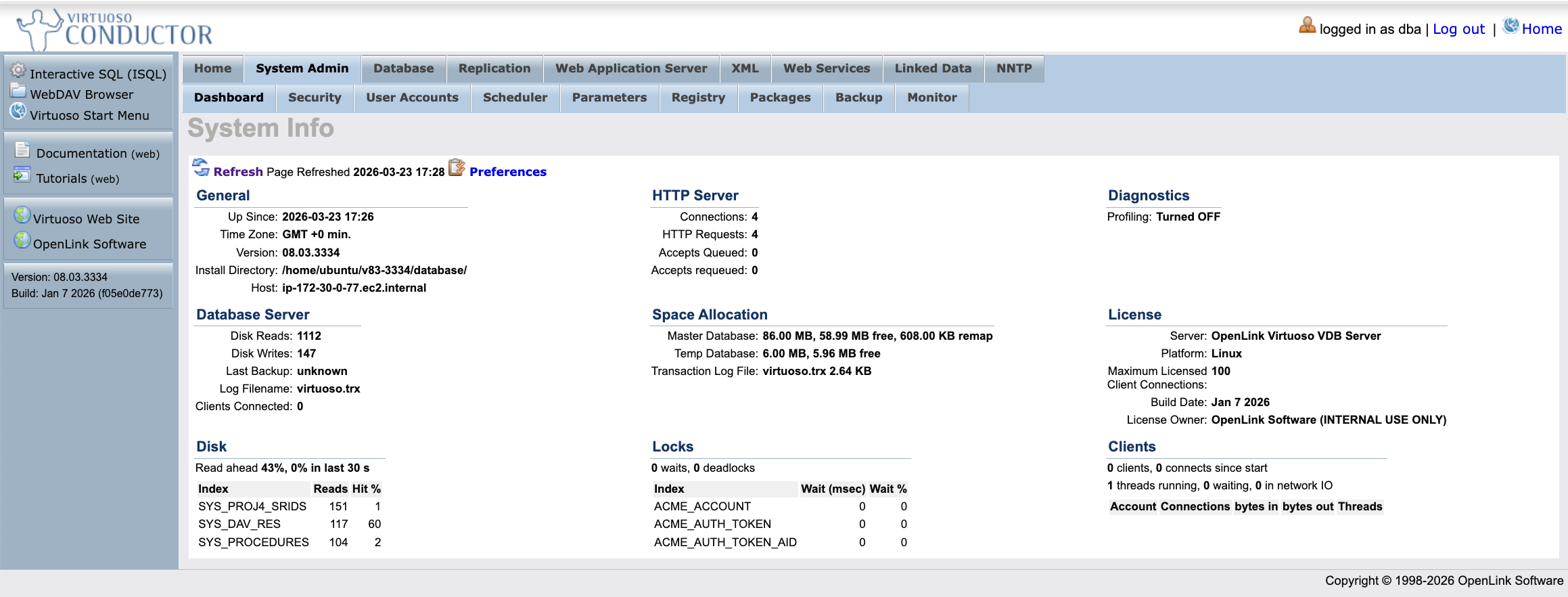
- Check the Virtuoso Conductor
System Admin -> Dashboardtab:
OpenLink Universal Data Access (UDA) Drivers
Multi-Tier Enterprise Edition
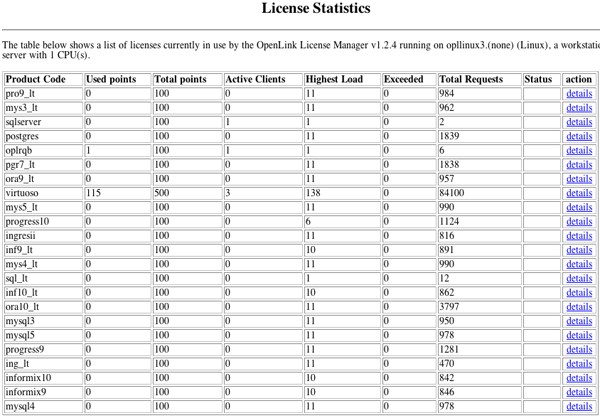
From the OpenLink Admin Assistant Server Components Administration -> General Request Broker Information -> View Server's License Information menu item:
The OpenLink Request Broker (oplrqb) can also be started in debug(-fd) or version (-v) mode which outputs the license details on startup:
 ./oplrqb -fd
OpenLink Request Broker
Version 2.47 as of Fri Sep 06 2019 (Release 8.0, g8d47069b9)
Compiled for Linux 4.15.0-52-generic (x86_64-generic-linux-glibc2.5-64)
Copyright (C) 1993-2019 OpenLink Software.

Registered to OpenLink Software (INTERNAL USE ONLY)
with product serial number openlink-internal
This is a 50 concurrent users license
restricted to 100 concurrent connections
Issued by OpenLink Software
This license will expire on Thu Mar 18 12:29:40 2027 GMT

oplrqb: using rulebook /opt/uda/bin/oplrqb.ini
oplrqb: bound TCP protocol to 0.0.0.0.5000
oplrqb: request broker started by root
oplrqb: spawning /opt/uda/bin/w3config/www_sv www_sv +debug
oplrqb: started persistent www_sv (pid=16450)
oplrqb: ZeroConfig thread started
www_sv: started http://ip-172-30-0-77.ec2.internal:8000
./oplrqb -v
OpenLink Request Broker
Version 2.47 as of Fri Sep 06 2019 (Release 8.0, g8d47069b9)
Compiled for Linux 4.15.0-52-generic (x86_64-generic-linux-glibc2.5-64)
Copyright (C) 1993-2019 OpenLink Software.

Registered to OpenLink Software (INTERNAL USE ONLY)
with product serial number openlink-internal
This is a 50 concurrent users license
restricted to 100 concurrent connections
Issued by OpenLink Software
This license will expire on Thu Mar 18 12:29:40 2027 GMT
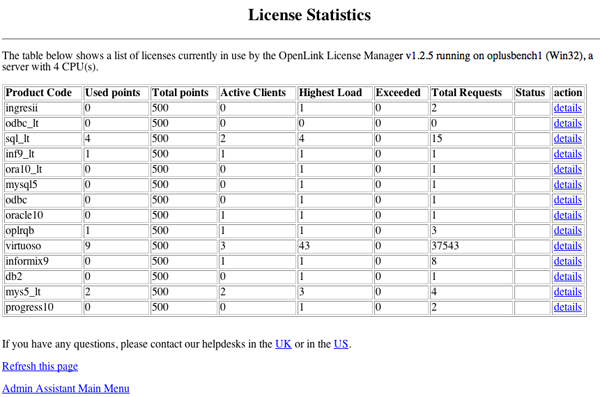
Single-Tier Lite Edition
From the OpenLink HTTP based iODBC Administrator Client Components Administration -> View OpenLink Client License Information menu item: